





























LoopSign 1 jaar abonnement (Pr. Scherm)
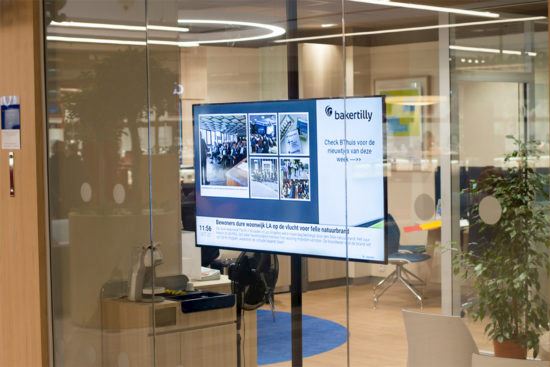


- Fast delivery from stock
- European quality, professionally tested
- Advice from telecom specialists
Description
LoopSign is fully cloud-based, meaning that everything you need to create and manage the content of your screens is always and everywhere available via your web browser. With LoopSign, no software installations are required, and changes are made in real-time. No external player is needed. Creating and managing digital signage is based on a simple principle: what you see is what you get. This means you always stay in control and know exactly how your content will look on your screens—because you see it directly in front of you while creating it.
Widgets
With LoopSign, you can easily customize your screens by adding different types of content, depending on your needs. Widgets include:
- Time and date with custom time zones
- YouTube and MP4 videos
- Custom text
- Custom text on images
- Image and text (Article)
- Photo gallery (png, jpg, svg, webp, and gifs)
- Show individual images or folders from the media bank.
- PDFs
- MSOffice documents (Word, Excel, PowerPoint)
- HTML code
- Signage/digital boards (requires an additional permit)
- Tables
- Countdowns
Keep your digital displays up to date by integrating with external data sources. This includes various widgets, so your displays are updated in real-time.
- Weather forecasts
- Calendar view integration with MS365, Exchange, Google, iCal,
- LoopBooking, Nexudus, Event Temple, Visbook, and Webook
- Room calendar view
- Floor plan with free/occupied space
- Canva (Online presentation tool)
- Social media (Facebook and Instagram Business)
- RSS feeds
- Websites
- Integration of Energinet reports
- Entur (public transport in Norway, real-time)
- Rejseplanen (real-time public transport Denmark)
- Air quality sensors from Airthings (requires an Airthings account)
- Inforegi (subscription required)
- Avinor (real-time flight departure/arrival data)
- API for activated content (e.g., fire alarm):
- LoopSign has direct integration with the Xsecure fire alarm API.
- This adjusts the content on the screens if a fire alarm goes off.
Ask our expert!
Do you have a question or do you need help making a choice? Contact our advisor: